

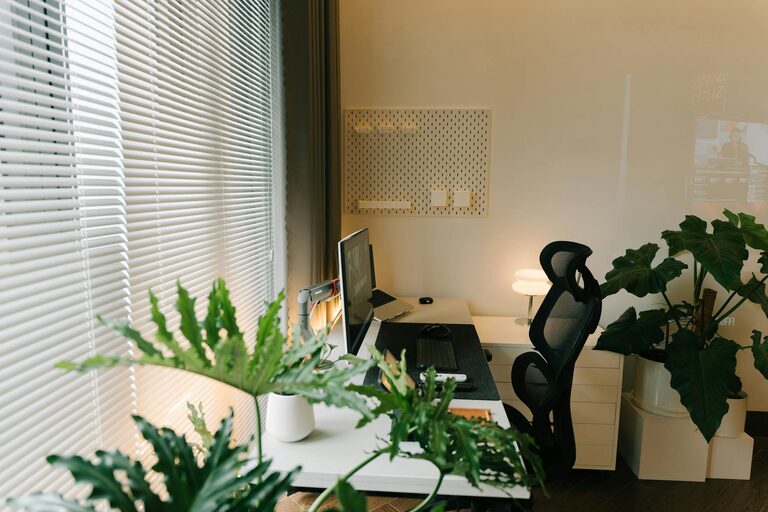
Creating a cozy and functional home office is more important than ever. Whether you’re working remotely, freelancing, or managing household tasks, your workspace should encourage focus and comfort. In this guide, we will explore practical ideas to help you set up a home office that suits your needs and style.
Why a Cozy and Functional Home Office Matters
Your home office is where productivity meets comfort. A well-designed space can reduce stress, improve concentration, and promote wellbeing. When your home office feels inviting, it’s easier to stay motivated and enjoy your daily tasks.
Choosing the Right Location
Select a Quiet, Dedicated Spot
Ideally, pick a space with minimal distractions. This might be a spare room, a corner in your living room, or even a section of your bedroom. Avoid high-traffic areas to maintain focus.
Consider Natural Light
Natural light boosts mood and reduces eye strain. Position your desk near a window if possible. If not, ensure your workspace has good artificial lighting that mimics daylight.
Furniture: Comfort Meets Function
Invest in an Ergonomic Chair
A supportive chair is essential to avoid back and neck pain. Look for adjustable features to fit your body comfortably.
Choose the Right Desk
Your desk should have enough surface area for your computer, notebooks, and other essentials. Adjustable height desks can be great for switching between sitting and standing.
Storage Solutions
Use shelves, filing cabinets, or storage boxes to keep documents and supplies organized. Clutter-free surfaces help maintain a clear mind.
Personalising Your Workspace
Colours and Decorations
Soft, calming colours like blues, greens, or warm neutrals create a relaxing atmosphere. Add plants, artwork, or photos to make the space yours without overcrowding.
Comfortable Accessories
Use a cozy cushion or a throw to add warmth. A small rug can also define your office area and improve comfort.
Organising for Efficiency
Cable Management
Keep cables tidy using clips or sleeves. This makes your space look cleaner and avoids tripping hazards.
Desk Organisers
Trays, pen holders, and document racks keep frequently used items at hand. This saves time and reduces frustration.
Digital Organisation
Label folders clearly on your computer and back up important files regularly. Digital clutter can be just as distracting as physical mess.
Technology and Connectivity
Reliable Internet Connection
Ensure your workspace has strong Wi-Fi or use a wired connection. Smooth internet access is vital for meetings and research.
Quality Equipment
Invest in a good keyboard, mouse, and webcam if you participate in video calls. Clear sound and image quality improve communication.
Creating Boundaries
Set Work Hours
Define clear start and finish times to balance work and personal life. Use a timer or schedule breaks to stay refreshed.
Communicate Your Space Rules
If you share your home, let others know your work hours and the importance of your workspace. This helps reduce interruptions.
Maintaining Your Home Office
Daily Tidy-Up
Spend a few minutes at the end of each day clearing your desk and organizing materials. A neat space sets a positive tone for the next workday.
Regular Reviews
Every month or so, review your office setup. Adjust lighting, decorations, or organisation methods to keep your space efficient and inviting.
Conclusion
Designing a home office that is both cozy and functional is achievable with thoughtful planning. Focus on comfort, organisation, and personal touches to create a space where you’ll enjoy spending time. A well-arranged home office not only supports your work but also enhances your overall wellbeing. Start transforming your workspace today and experience the benefits of a balanced home office environment.